Overview
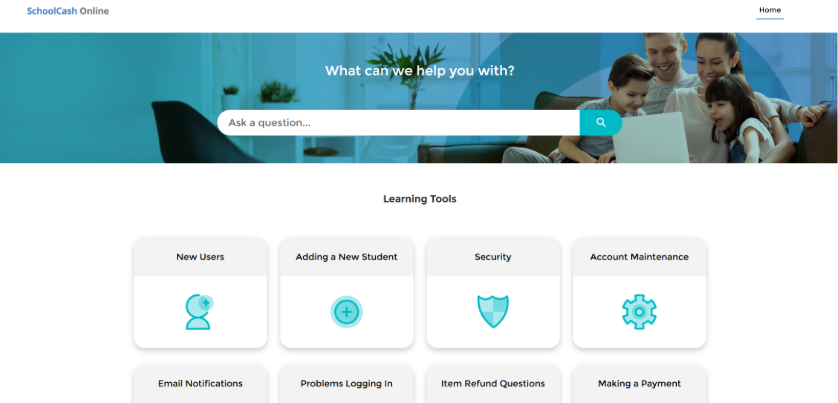
The SchoolCash Online Parent Help Portal has a refreshed look for parents looking for help within the SCO Website.
This change affects the Parent Help Portal experience only. SchoolCash Online site, functionality, support content, and support contact details remain the same.
Before you begin

No action is required from schools or parents unless the Parent Help Portal was bookmarked directly or shared as a direct link.
What is changing
Parents using SchoolCash Online will now see an updated look and feel when they access the SchoolCash Online Parent Help Portal.
Parents will continue to use the Parent Help Portal to submit support requests and access support information.
What you need to do
- If you did not bookmark the Parent Help Portal directly, no action is required.
- If you bookmarked the Parent Help Portal directly, update your bookmark using the current support link from the SchoolCash Online Parent Portal.
Note: This link is customized for each district. You must go to your District's SchoolCash Online site, then locate the support button on the bottom-right of your screen. - If your school or district shared a direct Parent Help Portal link with parents, update that link so parents are directed through the current support experience.
Accessing the updated Parent Help Portal
- Go to the new SchoolCash Online Parent Portal by going to your District SchoolCash Online Parent Portal (Customized for each district).
- Locate the Support button in the bottom-right corner of the screen.
- Select Support.
What is not changing
- Support functionality is not changing
- Support contact details are not changing
- Support content is not changing
New Parent Help Portal look and feel
The updated Parent Help Portal includes a refreshed design for parents looking for help within the SCO Website.