
QUESTION:
Is it possible to print all receipts at once, rather than individually?
Receipts may be printed while viewing Deposit Form, as Print Current Detailed Receipt OR Print All Receipts
OR during Quick Print process.
The Quick Print Menu, 3-Part Receipts will allow the user to print all of the deposit receipts. A separate receipt will be printed for each category.
PROCESS:
From Main Menu > Deposits/Receipts
1. Complete necessary deposit form(s) and itemize process
2. Click Print button
3. Select Quick Print from drop-down list
- Quick Print Menu will open
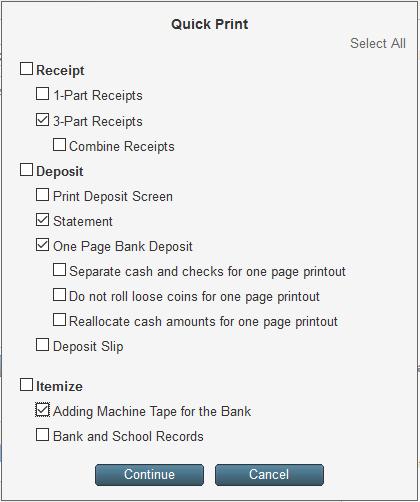
4. Select 3-Part Receipt checkbox, same as Print Current Detailed Receipt
with additional opportunity to Combing Receipts by money handed in by individual
NOTE: Selecting either or both receipt options of 1-Part or 3-Part, from the Quick Print list, may lock down the deposit form(s), same as when using Print Current Detailed Receipt.