Introduction
Non-student specific deposits, such as fundraisers or commission checks, need to be recorded accurately in SchoolCash Accounting.
Steps to Record Non-Student Deposits
To record these deposits:
- Navigate to Income > Deposits.
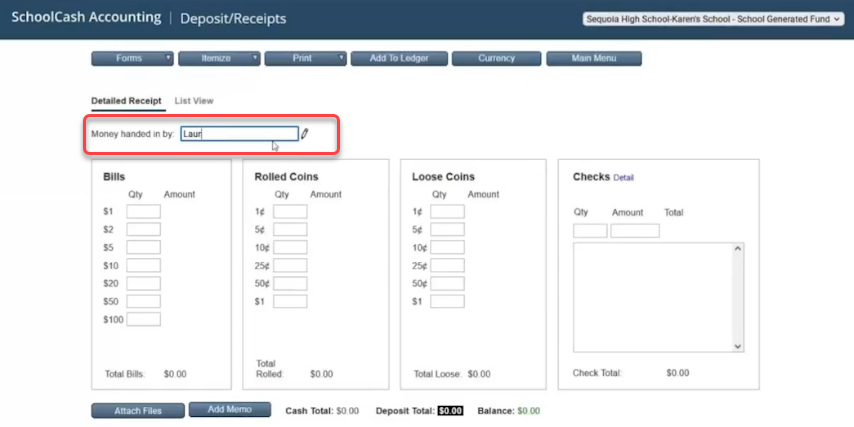
- Enter the Money Handed In By field with the individual's name.
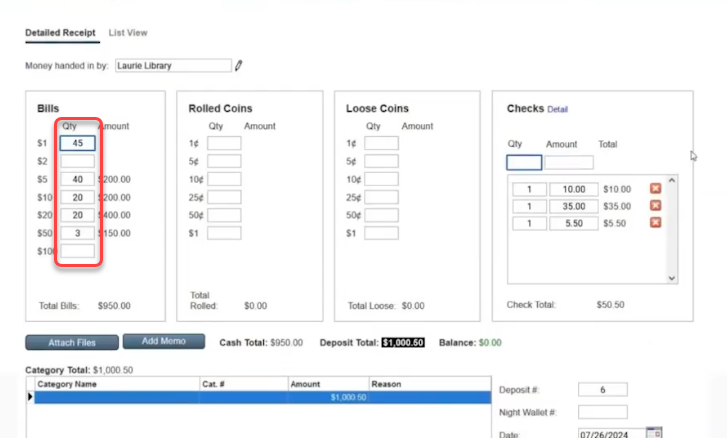
- Input the denominations of cash and coins received.
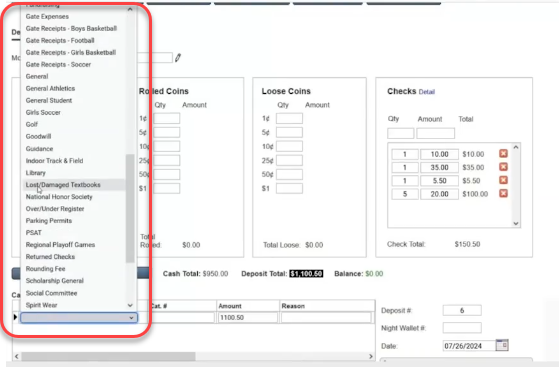
- Select the appropriate Category for the funds.
- Add any relevant Reason or description for the deposit.
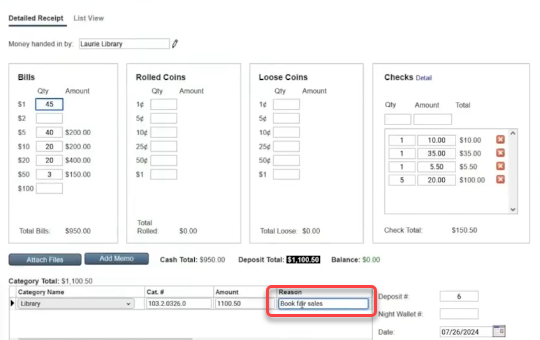
- For checks, click on Detail next to Checks and enter each check individually or as a total.
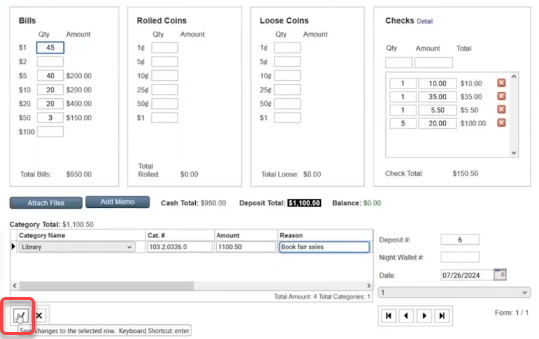
- Save the deposit information by clicking the check mark. Recording each detail ensures accurate tracking and simplifies future reconciliations.
Adding Additional Forms
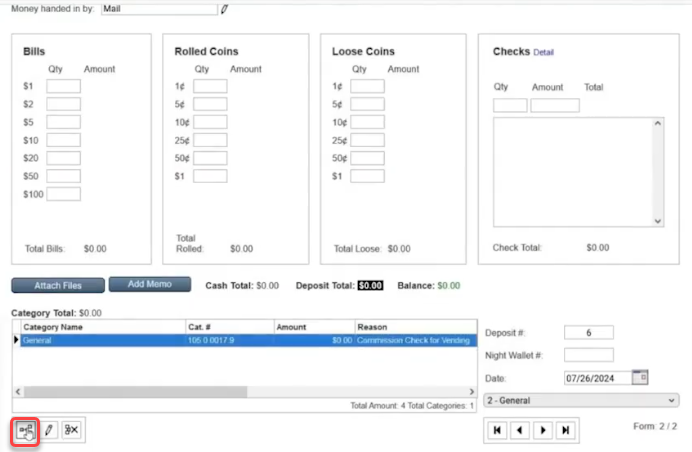
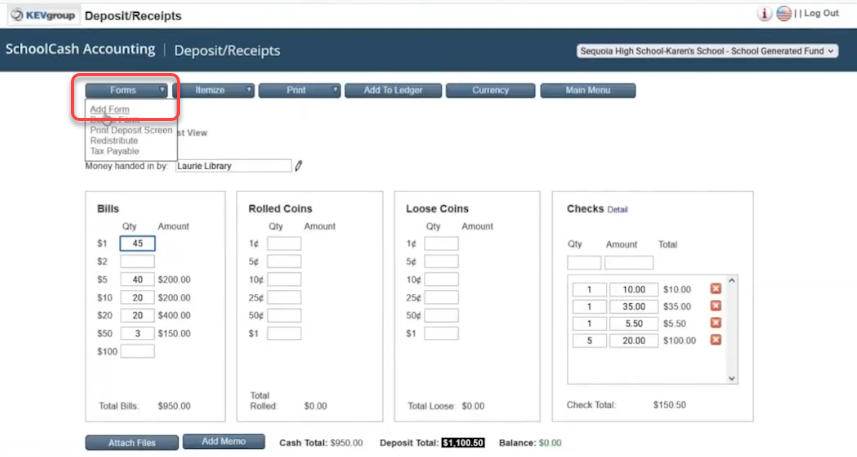
To add an additional form, for example, a commission check:
- Go to Forms > Add Form.
- Note how the money was received, for example, Mail.
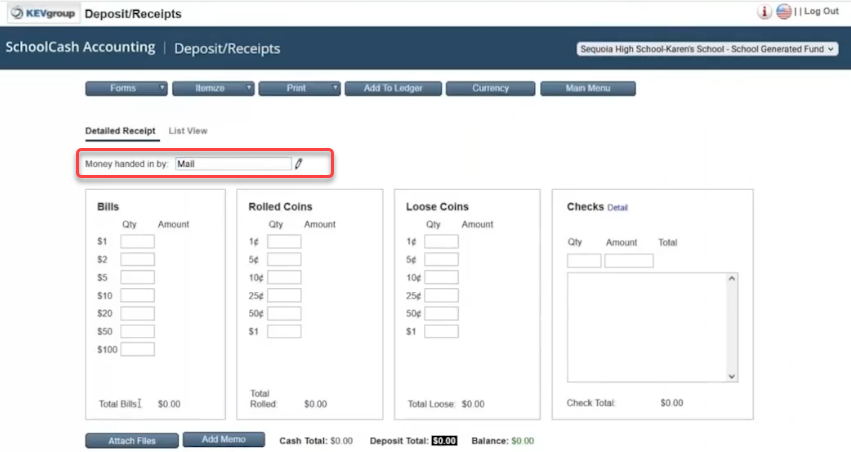
- Select the Category and enter a Reason.
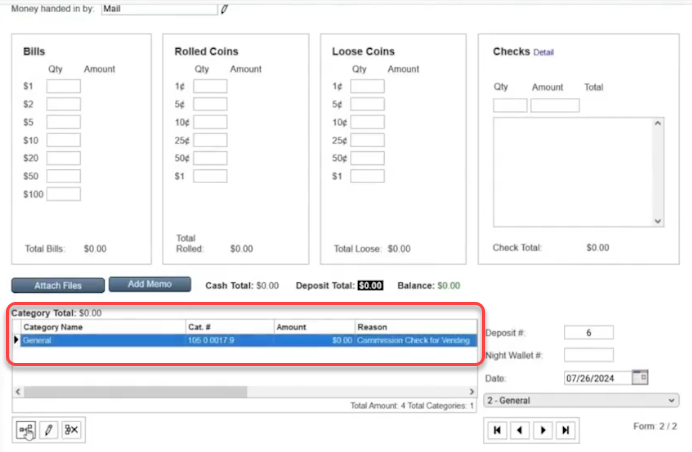
Press Save.