
SCENARIO:
User created a bank deposit, ran reports and took deposit to bank.
Forgetting to add original bank deposit to ledger, user starts a new deposit.
What is the process to separate the new deposit entries from the original bank deposit?
PROCESS:
Use the form scrollbar, or form drop-down list, to select the deposit form(s) that should not be included in the original deposit.
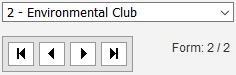
Deselect the Include for Deposit checkbox, on all forms not to be included in the original deposit.

Add the selected forms of the original deposit to the Ledger.
NOTE: The Include for Deposit option is a Board Account Setting.
Return to the deposit and select the Include for Deposit checkbox for all current forms.

Add the deposit to the Ledger.